Linux blog

Tuesday, May 1, 2007

An adventure in Iraqi freedom with Streamtime and FLOSS

Tuesday May 01, 2007 (05:01 PM GMT)
By: Tina Gasperson
A diverse group of creative people, all geeks in their own right but not all "techies," decided to give the people of Iraq an opportunity to speak freely to a large audience about their experiences living in the midst of a war. These geeks, who call themselves Streamtime, decided to perform a Web radio experiment: they would train Iraqis to use Dyne:bolic and other free software to create instant Internet broadcasts wherever there was a computer and Internet access. In the summer of 2004, Streamtime packed up and traveled from Amsterdam to Iraq, surviving bombings and hack attacks in their quest to bring freedom of expression to a country on a rollercoaster of victory and violence. The experiment has ended, but the mission continues.
document.write('');
dfp_tile++;


Jo van der Spek, a man some have described as an "activist radiomaker," is the founder of Streamtime. In February 2004, he approached Denis Rojo, a nomadic Rastafarian free software programmer and creator of Dyne:bolic better known as 'jaromil.' It was at the Networking Europe event; organizers had invited jaromil to give a presentation. "Suddenly, while standing at the bar for a coffee, I got approached by this skinny and tall man," jaromil says, "holding a very funny expression on his face. He introduced himself as Jojo." van der Spek praised jaromil's software projects and invited him to participate in some independent media coverage in Iraq. "I was delighted, quickly realizing this man really meant 'independent.'" Van der Spek went to Baghdad on a fact-finding mission, and kept a log of his experiences. "At 4 in the afternoon I went with Salam to meet with Mufid Al-Jazairi, who happens to be the Minister of Culture," he wrote. "He wanted to see me about radio. His communist party is starting broadcasting and he as a Minister wants to start a cultural radio as well. To encourage people to express and perform their culture, to reflect everyday life. In fact people in Iraq need to learn again how to do these things because the terror of Saddam has destroyed normal habits of communication between humans. While I look at his face I am reminded of another Minister of Culture (briefly), who wrote a famous book called The Long Road (?) about his transport to Buchenwald."
Van der Spek wanted to create hundreds of small radio stations by turning workstations into Internet broadcasting machines using Dyne:bolic, a live Linux CD optimized with all the necessary digital media software. Dyne:bolic runs on almost any kind of Intel hardware and doesn't need to be installed on the hard drive. Because it runs in RAM, it leaves no permanent trace of its presence on the workstation, making it safe for use by those in occupied territories who might risk prosecution if authorities discovered a rogue radio broadcast.
After 10 days in Baghdad, van der Spek was champing at the bit. "It is really time to get a team of technicians together for classic broadcasting and for streaming," he wrote. "On Al Jazeera I watch how some Japanese hostages are being manhandled with knives to force to confess that Allah really is the greatest. It seems that they also took two Dutch soldiers hostage like this in As-Samawa, but you in Holland will probably have more details on this.... It is really good to be able to do something positive and not just sit around waiting for the enemy to show up or rely on guards I don't know."
Van der Spek looked up Cecile Landman, a Dutch freelance investigative journalist. "I didn't need to think," Landman says of his request that she join him in "doing something" for Iraq. "I was very frustrated over the invasion of Iraq and all the disastrous developments after." Van der Spek, Landman and jaromil were joined by Geert Lovink, a self-described "media theorist" and Web designer by trade; and another "radio activist" named Michel. They met in the attic of De Balie, a cultural-political gathering place in Amsterdam. For this group, De Balie was a fitting location, since in the late '90s a support group for Belgrade's Radio B92 (which also included van der Spek) met there after that station's transmitter was confiscated by the Serbian government for illegal insurgency.
Part of the team set up shop in Halabja, Iraq, and the rest stayed in Amsterdam to give feedback on "technical and content matters," Landman says. The first broadcast took place on June 30, 2004. "It's not too easy this first stream; sometimes we have connection problems," are the first words spoken by host Michel in the 30-minute show. The connection dropped over and over again and at times the speech is unintelligible and muted, but in spite of the difficulties the stream was considered a success, and dedicated to the victims of "Bloody Friday," a poison gas attack launched by Saddam Hussein against Halabja in March 1988. "It is probably the first time that an audio program on the Internet will come out of Iraq," Landman wrote at Streamtime.org. The program was a mixture of music, recollection about Bloody Friday, and discussion of current events.
Less than a week later the first Baghdad stream went live, and things seemed to be working well for Streamtime. The group broadcast twice a week through July, from private homes, Internet cafes, "wherever possible," says Landman. But in August things took a turn for the worse. Just after a regular broadcast on August 1, "we were bombed back to reality," Michel wrote at Streamtime.org. The nearby Syrian Catholic Church was the target of a car bomb that day; 11 people were killed. The radio team's morale was sinking fast. "It's hot, there's no electricity, we eat, due to the heat we move to the balcony. But it's full of pieces of glass, one guy cuts his foot and bleeds. We try to stop the blood.... After the meal they start to sing old songs [really very old]: I feel the centuries' pain of this population. It makes me cry...."
August 11 was the last time the group from Amsterdam was able to broadcast live from inside Iraq. Circumstances had become too risky to stay. "At the end of August, I made the decision to recall the last ones of us who were still in Baghdad," Landman says. "It had become too dangerous. The work of journalists had become more and more important, but more and more was told from bunkered balconies in the Green Zone. August 2004 turned into a month of growing violence, brutal kidnappings, and decapitations. Streamtime left Iraq."
Not easily deterred, Streamtime decided to make another attempt at Internet radio in Iraq, attending the Merbed Poetry Festival in Basra on April 1-3, 2005. "Until last year Saddam exploited this well-known festival for his own political purposes, but this time it was free: a celebration of liberation, a meeting of old friends, a first attempt to deal with past pains and articulate a future for free artistic expression and contributing to enlightenment and development of Iraqi society at large," van der Spek wrote. Bassam Hassan, the cofounder of the Iraqi Linux Users Group (ILUG), joined van der Spek there. Because of the volatile state of political affairs and the possibility of wartime attacks at any moment, they decided to use a laptop as the base for a mobile radio station.
Streaming the events of the Merbed festival was the top objective, but another goal was "to plant the seed of free and independent media which is not controlled or influenced by any governmental entity or political or religious party," Hassan wrote in a summary of the project. They would accomplish that objective by setting up a classroom at a local hotel to teach citizens how to use the Dyne:bolic technology and "motivate them on creating their own independent and free radio."
Eight people showed up for the classes, where van der Spek explained the concept of open publishing and free media. Hassan taught the principles of Internet streaming and introduced his audience to Linux and Dyne:bolic. Later, the pupils would learn how to use the command-line interface for "everyday use," and how to produce a radio broadcast using Audacity. Everything they needed to know, van der Spek and Hassan taught them. The class would return the next day to help with the test run of the Merbed stream. After that, Hassan wrote, "we had a discussion with the trainees about opportunities for followup so they could continue the streaming project." He and van der Spek encouraged them to assist in the actual coverage of the festival by recording poetry readings and conducting live interviews.
The first day of the festival the Streamtime team was beset with technical difficulties that made it impossible to broadcast. But by the second day, they had located a reliable source of electricity and the sound quality was good. "And the same thing applied for the third day. We got many recordings and we tried to involve the crowd of poets and artists as much as possible," Hassan wrote.
After van der Spek returned from Basra, Landman says the group was "pessimistic" about the possibility of returning to Iraq and resuming the Web streams. "It seemed the best option, or maybe the only one, to focus on networking with Iraqi bloggers," she says. "They have taken the initiative to vent their thoughts, analyses, chants, and rants over the various situations -- and they do so over the Web." Streamtime reposts blog articles written by Iraqis; blogrolls Iraqi, Afghan, Iranian, and Lebanese writers; and links to tutorials on Web streaming.
Today, Landman believes Streamtime's work with bloggers best exemplifies its mission to help the Iraqi people experience freedom of expression. "They were put in contact with others," she says. "And I think that I have been of help in giving feedback about writing styles, or in convincing them to continue, and that it is important that the world gets a chance to hear their opinions, however harsh the contents are.
"It still feels as a defeat that we don't stream and that we are not in Iraq," Landman says. "I find it very difficult to measure the significance of Streamtime. But an Afghani blogger told me, 'Honestly, I come to your Web site and look for articles and new links I always use. For me it's like a window to Iraqis and Iraq bloggers."

Review: Arch64, Archlinux for 64bit processors

Due to lack of time, I have been sticking with the “easier” distros lately. I love Slackware, and at one time Arch Linux was my absolute favorite. I recently upgraded to an Athlon64 3200. I tried a variety of distros, only to run into problems I didn’t have time to fix. Fedora gave me a messed up Grub. Mandriva Free gave me problems with my video driver. Ubuntu Edgy has been fine. I saw that Arch Linux had a 64bit version and decided it was time to revisit it. If the easy distros were making me get into config files, why not just jump in fully with Arch64.
The installation documentation is thorough, but will drop you off at a command prompt with no Gui to log into. Make sure you know what you are doing, or do your homework first. If you feel like kickin’ it real old school, they even give you the option of a floppy install. You boot up, then type “/arch/setup”, which brings up the installer program. The steps are:
Prepare Hard Drive. You have an option to Auto-Prepare, which gives you a /boot, swap and root partition. It creates the file systems and mounts the partitions. Partition Hard Drives lets you do the partitioning via cfdisk and set the mount points yourself.
Select Packages. Packages are set up in different categories. I chose to only install BASE. It keeps things lean and mean.
Install Packages. This does exactly what it says. It installs the packages.
Configure System. This allows you to edit your configuration files. Usually the defaults will work, but the point of using Arch is to set things up your way. The rc.conf file is the main configuration file, where you set modules and daemons load, you define your network interface settings and other stuff. A nice addition here is MOD_AUTOLOAD which scans your hardware and automatically loads your modules with hwdetect. In the past I had forgotten to put the proper USB modules. Using a usb mouse and keyboard, that was a problem. Make absolutely sure you check lilo.conf if you use lilo, /boot/grub/menu.1st if using grub.
Install Kernel. Your choices are a stock 2.6.x kernel, 2.4 IDE or 2.4 SCSI. The documentation notes that Arch uses 2.6 by default, and to quote a line that made me laugh, “We are phasing out support for the 2.4 kernel, so you should only use it if 2.6 just isn’t working out for you”
Install Bootloader. You have the option of Lilo or Grub. The documentation has a great tip here. It says that if you multiboot, it might be better to install the bootloader into your root or /boot partition, and refer to that from the bootloader on your Master Boot Record. I did that and it worked like a charm. This is after I had Grub nightmares from a Fedora install. Post install, I updated Grub on my MBR easily
Exit Install. This makes you remove the disk and type reboot.
You reboot into a command prompt, logged in a root. I set up my root password and added a user. The docs say to set up your internet connection, but mine was ready to go. From here, you can use the package manager pacman to install xorg, KDE and/or Gnome and anything else you wish. I was a little to cocky, based on my previous experience, and hadn’t taken into consideration that xorg had changed. I installed xorg through pacman, but could not get a video driver module to load. My stupid mistake, it was as easy as installing the XF86-video-nv package since I have an Nvidia card. You can pull down all the drivers by installing the xorg-video-drivers package. I installed Kde, started x and was in my system. It was very clean and very fast. If you are unsure about how to do any of this, be sure to check out the ArchWiki before installing. It tells you how to set up just about anything you need. Be careful though, some advice is outdated. YMMV.Unless you are a super-genius, you will be using the wiki regularly. You have to set everything up yourself. Sound, cups, whatever. There are no graphical utilities to help you out, it is all command line. It is not as scary as that may sound.
The beauty of Arch is that you only install what you want. You only load the modules you want to, run the daemons you choose. Free as in freedom, baby. The result of this is a system that flies. I can’t give you hard numbers, but Arch boots a hell of a lot faster than other distros I have used. Arch64 is hardcore in that the philosophy is to be a true 64 bit operating system. To quote:“BUT: Our goal is to be the most bleeding edge distribution around! 32-bit is old fashioned. We want Arch64 to be modern and pure 64-bit. So we don’t have a Multilib system. We won’t take any package into the repos improving 32-bit compatibility. Maybe we will place them into the AUR or community repo. Don’t expect any support from the devs getting 32-bit apps running on Arch64!”I respect that. If you cannot live without flash, some W32 codecs,Opera or Skype you can run 32 bit apps inside Arch64 with a bit of work. It hasn’t been an issue for me. Mplayer has played everything I have thrown at it so far, including WMV files. I can do without flash to save some weird hack-y stuff or chrooting. (Arch64 does have the nspluginwrapper ready to go in the community repositories, so you can run flash on a 64bit browser.) It is hard for me to say if my system is faster due to the 64bits or if it is due to Arch itself. Maybe the combo. From what I read at the Arch64 FAQ you don’t gain much of an advantage using X64 except in multimedia or databases. Some reports have 32bit apps running faster than 64bit on a 64bit machine. I think it is worth any extra bit of hassle to run in 64. If anyone has an opinion on 32bit vs. 64bit, please leave a comment.
Once inside my system, I set up printing and audio. It was a breeze. Using Arch gives you an appreciation for the disdain people have for Gui tools. It is very simple to work from the command line, and the power you have over things is nice. If something goes wrong, you learn what the problem is and how to fix it. Arch, like Slackware and Gentoo, is a great learning tool.
Arch64 tries to stay very close to the Arch current and extra repositories. There aren’t as many developers, which means there is no unstable repo available. There is an list, updated hourly, comparing package versions for Arch32 and Arch64. Arch current port is finished and extra looks to be almost done. Community seems to be coming along. As X64 picks up steam, hopefully more developers will be moving here.
One of the biggest strengths of Arch Linux is its software manager, pacman. It is a command line utility, but there are graphical front ends available. Updating your system is as simple as typing “pacman -Syu”. Installing packages is as simple as “pacman -Sy packagename”. S = sync, y = refresh, u= sysupgrade. All dependencies are pulled down automatically. By editing the file pacman.conf, you can tell the system to not upgrade certain packages and what repositories to use. Another strength is that you can build and use your own repositories with pacman.
The Arch Build System (ABS) gives you the ability to build your own packages from source and rebuild Arch packages with your own customizations. The documentation covers everything. You run the command “abs” as root, which synchronizes the ABS tree with the current and extra repositories. You make a new directory for the package you are going to create. I decided to build Katapult, an alternative KDE launcher, so i made a /var/abs/local/katapult directory. I built my PKGBUILD file, ran makepkg and bingo, I had a package ready to go. I typed “pacman -A katapult-0.3.1.4-2.pkg.tar.gz” and it installed flawlessly. The AUR (Arch User Repository) is filled with PKGBUILD files for almost any program you might need. Nspluginwrapper resides here. ABS really sets Arch Linux apart.
I highly recommend Arch64. If you are looking for a great 64bit system and don’t mind getting your hands dirty, this is the system for you. You only need a fast connection and some time. Pacman is the best package manager out there. ABS gives you freedom to create your own packages or customize packages for your machine. The community is great and very helpful. If you aren’t running a 64bit system, this review would work for Arch32 with the added bonus of having the unstable tree available to you. There is a new project called Lowarch for older computers, so you can breathe life into an old machine.(If it is so old it only has a floppy drive, you are in luck.) Arch is an excellent way to learn. It forces you to. The outstanding documentation and wiki teaches you how to do whatever you may need. Arch is fast and gives you the freedom to run Linux the way you want. It remains my favorite distro. This review may seem fanboyish, but I honestly can’t find a bad thing to say about it.
Final Note: I didn’t include screenshots, because I think my readers know what KDE looks like. If you want them, let me know, and I can provide them.

Dell to Sell Machines with Ubuntu Pre-Loaded

kotj.mf writes "Cnet is reporting that Dell will shortly announce a partnership with Canonical to offer Ubuntu pre-loaded on certain consumer-oriented desktops and notebooks. The announcement comes after a groundswell of support for pre-installed Linux on Dell's IdeaStorm site. 'The company is starting its business by trying to appeal to users of desktop computers. From there, Canonical Chief Executive Mark Shuttleworth has said, the company plans to head to the server market, where the real Linux bread and butter can be found. [Dell spokesman Kent] Cook wouldn't comment on whether Dell plans to offer Ubuntu on its servers as well.'."

RSS is the New Newspaper

Is RSS your newspaper? Looks like it is for many people. This comic is from blaugh.com which calls itself the unofficial comic of the blogosphere. Many of them are lame but a few can bring an upturned corner of my mouth (which might be mistaken for a smile...don’t worry, it isn’t).
I’m posting this mainly to gear up for a review of the best RSS feed reader I’ve found for Linux. I should have it cinched up soon...but this RSS feed reader is by far and away the most robust reader I’ve ever seen and not many people know about it oddly enough. It can also operate in simple mode for those of us that just have a few feeds. It’s honestly revolutionized the way I read blogs and the time I spend reading them. More to come on this subject in the next few days...

Installing Linux INSIDE of Microsoft

Are you leery of installing Linux onto your Windows PC? Would you like to try out this Linux thing but are you reluctant to make room for it on your current hard drive for fear of messing something up?...Good News! You can now install Debian (and Ubuntu) safely from your Windows desktop WITHOUT MESSING UP YOUR HARD DRIVE! How? Simple. Visit either of these websites:

Debian:

Install Debian in Windows

Ubuntu:

Install Ubuntu in Windows


Follow the instructions and enjoy Linux safely and securely without nuking Windows. It’s like a crutch for those of you reluctant to put the full weight on that one foot. If you are confused about what this Linux thing might be...visit this flash presentation to get an idea and welcome to the world of Linux! We’re glad you came aboard! Hopefully, you’ll make the choice many have already made to run Linux exclusively on our PCs

Book Review: User Mode Linux

Nowadays with the advent of more powerful processors and cheaper memory, interest has been re-generated towards virtualization technologies - be it a commercial venture such as Vmware which does full virtualization or open source one which does paravirtualization such as Xen. But besides these two, there is a very interesting project called User Mode Linux (UML) which has gained prominence in the Linux arena. UML is used to create Linux virtual machines which run within a Linux computer. What makes UML stand apart from the rest of the virtualization technologies is that support for it has been incorporated into the official Linux kernel tree. So anybody who has downloaded the kernel source from the official website can easily compile his/her own UML enabled Linux kernel.

UML is the brain child of Jeff Dike who is well known within the Linux community. Now when a person who has created a popular software decides to write a book on the subject, then the book gains a lot of prominence. So when I came across the book titled "User Mode Linux" authored by the very same Jeff Dike and released under the Bruce Perens' Open Source Series, I couldn't resist laying my hands on it.

This book is a relatively small one spanning over 330 pages and divided into 13 chapters and 2 appendices.

The author starts the narration by giving a short introduction on UML and how it differs from other virtualization technologies. In this chapter he shares with the readers the trials and tribulations he faced in getting Linus to incorporate UML patch into the official Linux kernel tree. This chapter also gives a sound idea as to how one can use UML to ones advantage in various practical situations.

In the second chapter titled - "A Quick Look at UML" , one gets a taste of the inner working of UML. For example, with the aid of detailed snippets of output and various commands, the author explains why UML is considered to be a process as well as a kernel at the same time.

What is really interesting about UML is that in most respects it is identical to any normal Linux distribution. And a person who is working inside a UML instance will not be aware that he/she is in fact working in a virtual machine rather than within the host Linux OS. One can do anything and everything in UML that he/she can accomplish in a normal Linux distribution. This includes tasks such as creating partitions, adding swap space, networking and so on. The third chapter of this really useful book titled "Exploring UML" takes an in-depth look at carrying out some of the system administration tasks inside UML. The part where the author demonstrates with the aid of examples, how one can just plug in any file on the host machine into UML and access it inside the UML instance as a block device truly brings out the flexibility of this virtualization technology.

Running a single UML instance is fine. But what happens when one need to run multiple UML instances ? Is it possible to share the filesystem simultaneously between multiple UML instances ? In normal case, if you try and share a filesystem with multiple UML instances, then you run the risk of corrupting the filesystem. This problem is elevated with the use of what are known as Copy On Write (COW) files. The fourth chapter titled - "A second UML instance" pursues this topic in greater detail. The author explains the concept of COW files and how one can use it to share a filesystem between multiple UML instances thus considerably reducing the memory and disk utilization.

This book which explains a niche subject takes a hands-on practical approach which lays stress on getting things done rather than being a mere theoretical discourse. For example, in the fifth chapter titled "Playing with a UML Instance", the author explains how to connect a tar archive residing on the host machine to a UML and access the file from within the UML. He goes on to explain the basic steps needed to get networking between the host machine and the UML. This chapter breaks just the crust of networking as the advanced networking concepts have been provided a dedicated chapter of its own.

The next chapter titled "UML File Management" describes two ways of mounting a directory in the host machine as a UML directory. This is achieved via the virtual filesystems hostfs and humpfs. The uniqueness of these virtual filesystems is that they are not stored within a UML block device rather, the filesystem data is stored inside the UML kernel. In this chapter, the author goes into a detailed analysis of hostfs and humpfs virtual filesystems and explains how one can mount a directory on the host system into a UML instance using either of the methods.

One of the advantages of UML is that in all respects, it works as a complete Linux operating system. And one can do all the things in UML that one can achieve in a normal Linux distribution. UML is particularly strong in the networking area as one can interconnect two or more UML instances to create a virtual network inside ones machine. But one cannot set up networking in UML the same way as one does in a normal Linux distribution. To enable networking in UML, one has to first configure a TUN/TAP device which forms an interface between the UML and the host machine. Also enabling ip forwarding and routing in the host machine forms a part of the job in network enabling our UML instance. On this note, the seventh chapter titled "UML Networking in Depth" is a very important chapter in this book as it takes a step-by-step approach in explaining all these concepts to the reader. By going through this chapter, one acquires deep knowledge of various networking concepts like bridging, switching and various transports like TUN/TAP, Ethertap, SLIP, SLIRP and multicast. At the end of the chapter, the author ties up all the loose ends by giving a complete example of setting up a multicast network of UML virtual machines connecting to form 3 two node networks in which one UML instance acts as a switch.

There is a suite of tools available which aid a system or network administrator to control a UML instance from outside it. Using these tools, one can effectively control the system resources available to a particular UML instance. For example, one can allocate say 256MB memory to a UML instance and just 64MB for another all in real time. The chapter titled "Managing UML Instances from the Host" covers the full suite of UML management tools. In particular, one tool called uml_mconsole is explained in depth in this chapter.

Configuring and running UML instances in a non-production machine setup is fine. But when it comes to using UML on production servers, other aspects also have to be considered. In the next two chapters, the author discusses the various issues including security ones that have to considered and rectified before the users are allowed access to the UML on the server. Traditionally, UML has had two modes of operation, one for unmodified hosts called the "tt" mode and the second one called "skas" mode for hosts that have been patched with what is known as the "skas" patch. Skas is a short term which stands for Separate Kernel Address Space. Recently a third mode has also been added that provides the same security as "skas", plus some of the performance benefits, on unmodified hosts. This third mode of operation is named skas3. All these three modes of operation are covered in detail in the 9th chapter titled "Host Setup for a Small UML Server". In this chapter the author also shares his views on topics as diverse as managing long-lived UML instances, the networking aspects with respect to the server environment, the UML and host memory requirements and so on. Also in the 10th chapter titled "Large UML Server Management", one gets to know the security issues faced when allowing UML access on high traffic servers and the steps needed to be taken to overcome these issues.

Till this point, the author was explaining things assuming that the reader was using a pre-compiled UML enabled Linux kernel. But in the next chapter titled - "Compiling UML from Source", one gets to know which all kernel configuration parameters need to be enabled to compile a UML kernel. Since UML patch is already merged in the official Linux kernel tree, compiling a UML kernel is as simple as enabling the designated kernel configuration parameters. This chapter literally hand holds the reader all the way from downloading the UML kernel source, to setting the kernel flags to the actual compilation. At the end of the chapter, the reader would have accomplished building his own UML kernel.

The 12th chapter is a rather specialized topic and is aptly titled "Specialized UML configurations". Here one gets to know how UML could be used to explore the software limitations on ones machine like the hard limits in the Linux networking subsystem, the performance of large memory UML instances on ones machine as well as setting up a small UML cluster using Oracle's ocfs2.

In the final chapter of this rather well written book, the author shares with the reader the future road map of UML and the technologies that could influence its evolution.

The book also has two appendices which lists all the command line options that could be used while booting a UML instance as well as the various UML utilities that are used on the host side to control the UML.

About the Author
Jeff Dike, the author and maintainer of User Mode Linux is well known throughout the Linux community. He is currently working as an engineer at Intel. He has been active in Linux kernel development for more than five years. He holds a degree in Computer Science and Engineering from MIT.

Book Specifications
Name : User Mode Linux
ISBN No: 0-13-186505-6
Author : Jeff Dike
No of Pages : 330
Publisher : Prentice Hall
Price : Check at Amazon.com
Rating : Excellent

End Note
This is clearly a do-it-yourself book on UML with step-by-step instructions all the way in accomplishing the tasks. But that does not mean that the theoretical aspects of UML have been ignored. Rather, there is a right amount of synergy between theory and practice. And the fact that this book has been authored by the very same person who created UML lends a lot of credibility to this book. This book could meet all the requirements of a person who is interested in this niche area and wishing to gain more knowledge about UML and its working.

Book Review: Unix to Linux Porting - A Comprehensive Reference

In this age of numerous flavours of Unix and Linux OSes, it is imperative that applications are developed to work on a vast majority of them. But historically, Unix had been fractured, with each flavour of Unix - be it IBM AIX, Sun Solaris or HP-UX implementing its own libraries and system calls. And it would have been a nightmare to port an application running on one Unix flavor to another. But things started to brighten up a little when most of these Unices as well as Linux decided to embrace the standards set forth by the standards bodies such as ISO and POSIX.

May that be, it is still a bit difficult to port Unix applications to Linux and vice versa because the applications that are to be ported might be using non-standard APIs. And the team porting applications from one Unix flavour to Linux or vice versa should be aware of the system calls and other features of both Unix and Linux. For instance, the system calls made by each of these OSes - IBM AIX, Solaris, HP-UX or Linux - even though have a lot of similarities do have their own differences. And some system calls in one OS may not have an equivalent one in the other.

The book titled Unix to Linux Porting - A comprehensive reference, co-authored by Alfredo Mednoza, Chakarat Skawratananond and Artis Walker and published by Prentice Hall is a book which aims to be a capacious guide for developers who are into porting Unix applications to Linux.

Ironically, there are only 7 chapters but these chapters and the succeeding appendices make up over 700 pages which make this book rather voluminous.

The task of porting applications from one OS to another can be split up into 4 broad phases which are Scoping, Analysis, the actual Porting and finally the Testing and debugging phase. This book covers each of the 4 steps in a detailed manner dedicating separate chapters for each of them.

In fact the porting phase is further split up into 3 chapters for each of the three Unices - Solaris, IBM AIX and HP-UX. And in each case the respective authors have started from the rudimentary steps like setting up the porting system, explaining the differences in language specification, the compiler flags as well as the various tools like the linker, debugger and make in the respective OSes.

This book contains tables of all/most of the system calls in the respective Unix operating system and their equivalents in GNU/Linux and a short explanation of what the particular system call does.

The final chapter titled "Testing and Debugging" explains the use of tools such as GNU debugger, the use of strace and ltrace to pin point problems in the programs ported to Linux, memory optimizing tools such as electric fence, mpatrol and valgrind among others in detail.

But I found that the appendices - and these are as big and as many as the chapters themselves - have a lot of additional information which includes Solaris, IBM AIX and HP-UX to Linux reference tables, the porting issues faced when porting Unix applications to Linux to be run in Mainframes and so on. I really liked the appendix titled "Solaris to Linux Migration : A Guide for System Administrators" which lists the commands used in Solaris and their equivalents in Linux.

This book is definitely one of a kind and is an invaluable reference for anybody who is interested in porting Unix applications - and there are a whole lot of them - to work naively in Linux. But even those who are not into porting would benefit from this book as it provides insights into the system calls made by the OSes and the similarities and differences in their implementation.

Considering the complexity of the subject, it is not surprising that it took three people who are experts in their respective fields to come together to write this book. Alfredo Mendosa is an IT specialist in the Solution Enablement Group within the IBM Systems and Technology Division and is an expert on thread management and software algorithms. Chakarat Skawratananond holds a PhD and is a technical consultant in the IBM eServer Solutions Enablement Organization providing technical assistance to software vendors porting applications to IBM POWER systems running AIX and Linux. And Artis Walker is a consultant in the IBM Solutions Development Group and has published numerous tutorials and articles on migration and performance tuning for AIX and DB2. He is also the main author of several articles highlighting open-source solutions for AIX and Linux on the IBM POWER platform.

Chapters at a glance
  1. Porting Project Considerations
  2. Scoping
  3. Analysis
  4. Porting Solaris Applications
  5. Porting AIX Applications
  6. Porting HP-UX Applications
  7. Testing and Debugging
  8. Appendix A : Solaris to Linux Reference Tables
  9. Appendix B : AIX to Linux Reference Tables
  10. Appendix C : HP-UX to Linux Reference Tables
  11. Appendix D : Linux on POWER
  12. Appendix E : gprof helper
  13. Appendix F : Porting issues specific to IBM zSeries Mainframes
  14. Appendix G : Solaris to Linux Migration: A Guide for System Administrators
Book Specifications
Name : Unix to Linux Porting - A Comprehensive Reference
ISBN No : 0-13-187109-9
Authors : Alfredo Mendoza, Chakarat Skawratananond, Atris Walker
Publisher : Prentice Hall
No of Pages : 700
Price : Check at Amazon.com
Rating : Very good

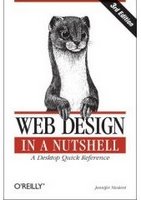
Book Review: Web Design in a Nutshell - A Desktop Quick Reference (3rd Edition)

Anybody who has had anything to do with the World Wide Web would surely have at one point of time or the other taken a pause to marvel at its rapid growth and the technologies that have spurred the growth. The most abundant and widely used part of the world wide web are websites which allow anybody with access to a web browser and an internet connection to view and share information.

The fundamental building block of a website has been HTML - Hyper Text Markup Language. But owing to its obvious limitations and semantic faults, a conscious effort was made by the standards group W3C.org to not only develop an alternative markup language based on XML called XHTML but also separate the markup from the style through the use of CSS which imparted much more power and flexibility to the people designing websites.

I found the book "Web Design In A Nutshell - A Quick Desktop Reference" authored by Jennifer Niederst Robbins and published by O'Reilly to be a one of a kind book in that it covers all the important concepts right from HTML 4.1 to XHTML, CSS, Java Script and much more. In fact, I found the book to encompass all that is needed to know about the semantics of markup language with stress given to the latest developments in XHTML and CSS.

All of 800 pages and divided into a whooping 36 chapters, I found this book to be a valuable reference for programming and designing solutions for the web.

The 36 chapters are further divided into 6 parts with the first part of the book (all of 6 chapters) giving an introduction to the web standards and their advantages. The Web design and development are divided into different layers such as the Structural layer, the presentation layer and the behavioral layer and in the first part of this book, the author gives a short explanation of each of them. This part also contain tips to keep in mind while designing for a variety of web browsers as well as for various displays which makes interesting reading. A separate chapter has been provided which explains the things to keep in mind while creating websites which can also be used by people with disabilities. In the chapter titled "Internationalization" in the same part, one gets to know the various character sets and encoding such as Unicode and how it can be specified in XHTML.

The second part of the book deals with the structural layer which pertains to XML, XHTML and HTML. In this part spread over 9 chapters, all the tags be they HTML or XHTML are listed with an explanation. The chapter 7 titled "Introduction to XML" gives a sound introduction to the eXtensible Markup Language which form the backbone of XHTML. I found this chapter to give a good understanding of XML, the various tags as well as the XML Document Type Definition file which imparts meaning to the tags. This chapter does not cover XML in depth but succeeds in giving all the data that needs to be known by a web developer.

Chapter 8 titled "HTML and XHTML Overview" concentrates on explaining the fundamental differences between the two. This chapter also lists the different flavours of HTML 4.01 and XHTML. The 9th chapter titled "Document Structure" of this comprehensive book is very important in the sense that it imparts a good understanding of the document structure which obviously has slight variations depending on the standards which the web developer wishes to support.

The third part of this book concentrates on cascading style sheets which falls in the Presentation layer. In the background of the furore created in the web arena on the flexibility and the freedom to experiment that CSS provides to web developers, this part of the book gains a lot of prominence. The author starts the narration with a chapter on the fundamentals of CSS where the advantages of using CSS is impressed on the readers. Then the author explains different ways in which styles could be added to documents,the XHTML document hierarchy and how CSS styles are affected by it.

Over a span of 10 chapters, the third part of this book covers each and every aspect of CSS be they selectors or properties. And where ever possible, the author has also given pictures which show how the text will display in the browser when a particular style is applied. I found this section to be an invaluable resource for coming up-to date with the latest developments in CSS. What is interesting is that over and above listing and explaining each and every CSS property, the author has also inserted at regular intervals tips as well as the pitfalls to look out for while designing websites which are to be viewed using different web browsers.

In the 25th chapter titled "Managing Browser Bugs: Workarounds, Hacks, and Filters", the author addresses the most common web browser bugs that one will encounter when designing with CSS and how best to work around them so as to give a consistent view of the website on all the web browsers.

The fourth part of this book deals with the Behavioural layer and contain two chapters on Java Script and the Document Object Model. In the first of the two chapters in this part of the book, the author starts with the basics of Javascript, its syntax, the different Javascript objects and finally the event handlers.

Document Object Model (DOM) is an application programming interface which is used to access and manipulate the contents of an HTML or XML file. The succeeding chapter titled "DOM Scripting" takes a good look at this topic. Here the author explains how to manipulate documents using DOM functions. But the section which excited me the most was the part where the author gives an introduction to Ajax which by the way has been included in the chapter as a supplement.

Writing code and designing beautiful websites using CSS is not enough to create an efficient website. It is also important to have a fine understanding of the different types of image formats that can be used as well as their pros and cons. And reducing the file size of an image is a part of the job of optimizing a website. On this note the fifth part titled "Web Graphics" gains prominence. Spread over 5 chapters, this part gives an in-depth understanding of the main image formats which can be used on the web such as the Jpeg, (animated) Gifs and PNG and tips on picking the right format for different situations.

The final part titled "Media" spanning 4 chapters dwell on the part that multimedia plays on the aesthetics and functionality of a website. More specifically, the author discusses the different audio formats and their usefulness in providing audio on the web. While on this subject the author is pretty detailed in her explanation of the different ways in which audio can be shared with the end user like streaming audio. A section titled - Preparing your own audio - points at the different avenues that a web developer has when faced with integrating audio solutions with his website. I especially liked the part where the author while dwelling on each and every audio format, explains with the aid of a table what that particular audio format is good for, what tools can be used to create it as well as the players which support the particular audio format. There is also a table giving authors suggestions of the ideal audio formats for different audio needs.

In the subsequent chapter titled "Video on the Web" the reader gets a taste of the video formats and the code which helps in embedding video in a web page especially when it is meant to be streamed. Considering the important part that Flash plays on the richness of the websites, a separate chapter has also been included giving an overview of flash, the tools used to create flash and code used in embedding flash in a website.

The book also contain 5 Appendices which stand out as excellent resources for reference such as HTML Elements and Attributes, CSS 2.1 Properties, Character Entities, non-standard color names and their numerical values and so on.

Book Specifications
Name : Web Design in a Nutshell - A Desktop Reference (3rd Edition)
ISBN No: 0-596-00987-9
Author : Jennifer Niederst Robbins
Publisher : O'Reilly
Number of Pages : 800
Price : Check at Amazon.com
Rating : Excellent

End Note
I found this book to be an excellent reference for designing websites be it on Linux or any other platform. Considering that this book is well into its 3rd edition with supposedly over 200,000 copies in print, I believe a lot of people share my views about this book. The author has done a splendid job of not only covering all the concepts but over the years, the book has been significantly revised and updated to keep up with the rapid advances in the technology related to web design. And the latest edition has been released only in February 2006. Obviously the author considers this excellent book to be a continuous work in progress and as the technology gets more mature, we can hope to see more updates and edits which would preserve the relevance of this book.

Book Review: Drupal - Creating Blogs, Forums, Portals, and Community Websites

I am sure anyone who has anything to do with computers have heard of a system administrator. But not many would be aware of a content management administrator or more specifically a Drupal administrator. Drupal is a very popular open source content management system which is used by 10's and 1000's of individuals and firms alike to host professional websites which integrate blogs, forums, portals and so on. Considering the sheer number of uses that Drupal can be put use to, it is not surprising that one needs to be aware about the innumerable configuration parameters which are made available to the person in charge of administering the site. This is especially true if you want your site running on Drupal to work in a specific manner.

I found the book titled "Drupal - Creating blogs, forums, portals and community websites", authored by David Mercer and brought out by Packt Publishers to be a good introductory book which aims to walk the uninitiated person in setting up Drupal and making it work for him.

The book is divided into 10 chapters spanning 300 pages.

The first chapter gives a thorough introduction to Drupal, what it is, in what ways it could be put to use and so on. Here the author introduces the reader to the Drupal community and how the community has grown over time to provide help to people on all things related to Drupal.

The second chapter titled "Setting up the development environment" explains how to setup Drupal on ones machine which includes the pre-requisites like creating the database as well as obtaining and installing Drupal. How to upgrade Drupal from one version to the next as well as common troubleshooting problems are also dealt with in this chapter, which existing Drupal users will find useful. One grouse I have about this book is that the narration is totally windows centric when most web servers run on one or another form of Linux/Unix OS. And it would have been nice if the author had included a section in configuring the database on Linux/Unix even if it was as an afterthought. But having said that, this chapter gives all the details that needs to be known in installing Drupal.

The next two chapters deal with the site configuration aspects. Here the author walks one through each and every aspect of configuring, more specifically the general configuration parameters. The steps are well illustrated with pictures which make the whole process easy to follow.

Drupal has by default two inbuilt roles - that of anonymous user and authenticated user. And each role has separate powers associated with it. The beauty of Drupal is that it is possible to create ones own roles and add users to it. The fifth chapter titled "Users Roles and permissions" explain this concept in detail. Here one gets to know how to plan for and implement roles in Drupal and also the permissions that need to be allocated to the individual roles.

The sixth chapter titled "Basic Content" gives a broad outline of the various content types such as blogs, books, forum topics and so on. In fact, Drupal has over 10 different content types. This chapter also explain how to edit and configure this content. The author has done a pretty good job of explaining the various options that are available to the administrator which will help him to manage the content added to the site. This chapter also has a section which introduces two popular modules called aggregator and taxonomy module and how they can be integrated with the website to bring additional flexibility and variety to the content.

Taxonomy is a very useful module which provides the power and flexibility of tagging ones articles using categories in Drupal. In the seventh chapter titled "Advanced content" the author gives a detailed explanation of the concept of taxonomy and the different terminology used. This chapter also illustrates how to categorize content and discusses its pros and cons. It also has a run down of the most common HTML tags that can be used and their usage which will be helpful for people who are new to HTML coding.

In the next chapter, the author tries to tie all the loose threads together and walks the reader through getting more acquainted with the Drupal interface. Here one gets to know about customizing the themes by modifying the CSS file, inserting a custom logo on the site and so on.

Drupal has innumerable modules and it is not practical in covering all the modules in a book. But still, in the 9th chapter, the author covers how to configure two very useful modules called flexinode and adsense. I especially found the explanation of AdSense module really interesting, what with most people nowadays running adsense to monetize their websites. This chapter also has a nice example which explains how to incorporate dynamic content using Ajax which I found really interesting.

In the last chapter titled "Running your Website" of this book, the author tackles miscellaneous topics such as taking backup of the Drupal database, using cron to schedule tasks and so on. There is also a table listing the tips for optimizing ones website for getting indexed by the search engines which I found really informative.

Book Specification
Name : Drupal - Creating Blogs, Forums, Portals, and Community Sites
ISBN No : 1-904811-80-9
Author : David Mercer
No of Pages : 270
Publisher : Packt Publishing
Price : Check at Amazon.com or at Packt Publishing.
Rating : Very Good

This is a book which is clearly targeted at the beginner who is aspiring to set up a website based on Drupal. The beauty of Drupal is that it allows common folks to publish and manage content online without much knowledge of programming. But to come up to date with administering Drupal, one has to overcome a slight learning curve and be conversant with the new terminology it introduces. I found this book to be a good guide for setting up and configuring Drupal. The author also provides various online resources where the reader of the book can find further information regarding Drupal.

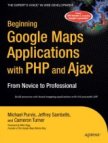
Book Review : Beginning Google Maps Applications with PHP and Ajax

Ask me what is one of the most useful feature on the net which will remain popular for times immemorial, come what may, and I will without an iota of doubt tell you that it is maps. That is right, maps were used in the bygone era to navigate from one place to another and maps are still relied upon in these modern times for charting out ones journeys. So it is no surprise that with the dawn of the Internet, the maps got transferred from the physical to the electronic medium. One of the most exciting projects which makes use of maps is the Google's Keyhole project now known commonly as Google Maps. What is unique about Google maps is that it mashes up satellite telemetric data with the maps and displays it in a web browser allowing a wide degree of user interaction. What is more, Google has released the Google maps API library to the public so that anybody can use it to create custom maps and display them online in a visually persuasive way.

A one of a kind book I have come across in recent times is the Google Maps Applications with PHP and Ajax from Novice to Professional co-authored by Michael Purvis, Jeffrey Sambells and Cameron Turner, published by APress.

This book is divided into 4 parts spanning 360 pages. The first part of this book deals with giving the readers an introduction to Google Maps. Here the authors explain in a clear manner what makes the Google Maps tick. In particular we get an idea about the special markup language used by Google Maps called the Keyhole markup language (KML). This part is divided into 4 chapters and each concept behind Google maps is explained using real life examples which makes the narration all the more interesting. For example, in the second chapter titled "Getting Started", the authors give a step-by-step example of creating a basic Google map and then using markers to tag the places in the map. Going through the example, I felt some understanding of JavaScript language is essential as Google maps makes extensive use of JavaScript to bring usability to the project. But the way in which the examples are interlinked with the explanation makes it all the more easier to follow.

In the third chapter titled "Interacting with the user and server", one gets to work on a simple example of creating a geocaching map and writing code to create an information window which allows an end user of the map to insert additional information and markers throughout the map. This example also introduces the user to the Google Ajax Object which plays an important part in saving and retrieving data from the server.

Geocoding is the process of converting the land addresses to the precise latitude and longitude of Earth. The fourth chapter titled "Geocoding Addresses" takes an indepth look in this area.

What I really like about this book is instead of jumping into a theoretical discourse, the reader is actually made to work on an example which highlights the concept being covered, which in-turn imparts value to the narration.

The second part titled "Beyond the Basics" contains 4 chapters and each of them explains how to improve various aspects of the map. In particular, chapter 5 deals with an example of using the relevant data in the US Federal Communication Commission Antenna Structure Registration database to incorporate it in the map that is being build. Here one is introduced to coding using PHP to retrieve the relevant data from the database. In fact this particular example spans the next two chapters to provide the readers a start to finish project of building a map and then beautifying it.

Chapter 6 titled "Improving the user interface" jumps into using CSS and javascript to make the user experience as pleasant as possible. Such tricks as creating collapsible side panels and then populating the panels with data is dealt with here.

But what does one do when the data that is to be mapped is really huge ? It is not possible / feasible to map all the data using separate objects for each individual entity. Doing so will most probably bring the web browser which is used to render the map to a halt. So it is imperative that when dealing with large amounts of data which runs to tens and thousands of points on the map, alternate methods have to be pursued. The seventh chapter titled "Optimizing and Scaling for Large Data Sets" presents a variety of methods for working with large data sets without bringing the web browser to a halt.

The next part of the book titled "Advanced Map Features and Methods" contain 3 chapters, the first of which titled "Advanced Tips and Tricks" contains over 6 tips/tweaks from creating a custom info window to creating custom controls and more.

The next two chapters in the third part of the book takes a mathematical bent and deals with such concepts as computing the area and perimeter of an arbitrary region or calculating the angles on the earth's surface, pursuing geo-coding concept in depth and so on.

Finally, there are two very useful appendices, one of which lists additional online resources which one can use to learn more about this very interesting topic.The other appendix lists the entire Google Maps API.

Book Specification
Name : Beginning Google Maps Applications with PHP and Ajax from Novice to Professional
ISBN No: 1-59059-707-9
Authors : Michael Purvis, Jeffrey Sambells & Cameron Turner
Publisher : APress
Price : Check at Amazon.com Store
No of Pages : 360
Rating : Very Good

End Note
It is not everyday that one encounters a book which explains such a specialized but very useful subject as creating online maps. I found it a really indepth book covering all the concepts related to implementing Google Maps at the same time with all the stress given to a practical approach. Going through the book, I felt the authors have really done their homework in the art of creating user interactive online maps using Google Maps API.